
The Basics of AI
A primer on artificial intelligence without the hype, so you can actually use it.


Lately, I’ve found myself being invited to more and more discussions about my primary area of expertise rather than human resources and talent management, and it’s been an exciting switch for me.
I’m not an HR specialist by background—I’ve learned all of that on the job, taking apart and rebuilding the Army’s personnel processes and doing probably a fanatical amount of research and collaboration with friends in academia and industry on what systems work the best and how to take pieces of those and integrate them into our Army systems to improve the process.
By background, I’m a complexity scientist. I’ve been building agent-based models for complex systems for years, studying emergent behaviors and shaping those through probabilistic design. I think I built my first AI program back in 2011. It was pretty rudimentary and needed a huge amount of compute power compared to now, but I’ve been fascinated by the way machines learn ever since.
I’ve still been working with AI over the past decade, but it’s been in the context of human resources and talent management. Now, though, instead of working talent management programs, I’ve been working initiatives for the Army to rapidly integrate AI tools into our workflows and not just in HR, and speaking primarily about agentic AI and how we’re using it.
A couple weeks ago, I joined Sean Ryan, CTO for Deloitte GPS’s Finance arm, and Venu Boppana, chief of innovation for the FDA, to talk about the agentic AI transformation currently happening in the federal government for AGA. You can grab the handouts for the webinar here!
This week, I’m joining my friend and teammate Tom Malejko, CIO for the State Department Kelly Fletcher, Deloitte Government and Public Services AI Leader Ed Van Buren, and longtime collaborator from Federal News Network Jason Miller for a discussion on shaping government innovation with AI. We’re sharing how we’re implementing AI in our workflows today, what has worked and what has not, and how that’s coming together for a long-term AI strategy (or isn’t, in some cases!).
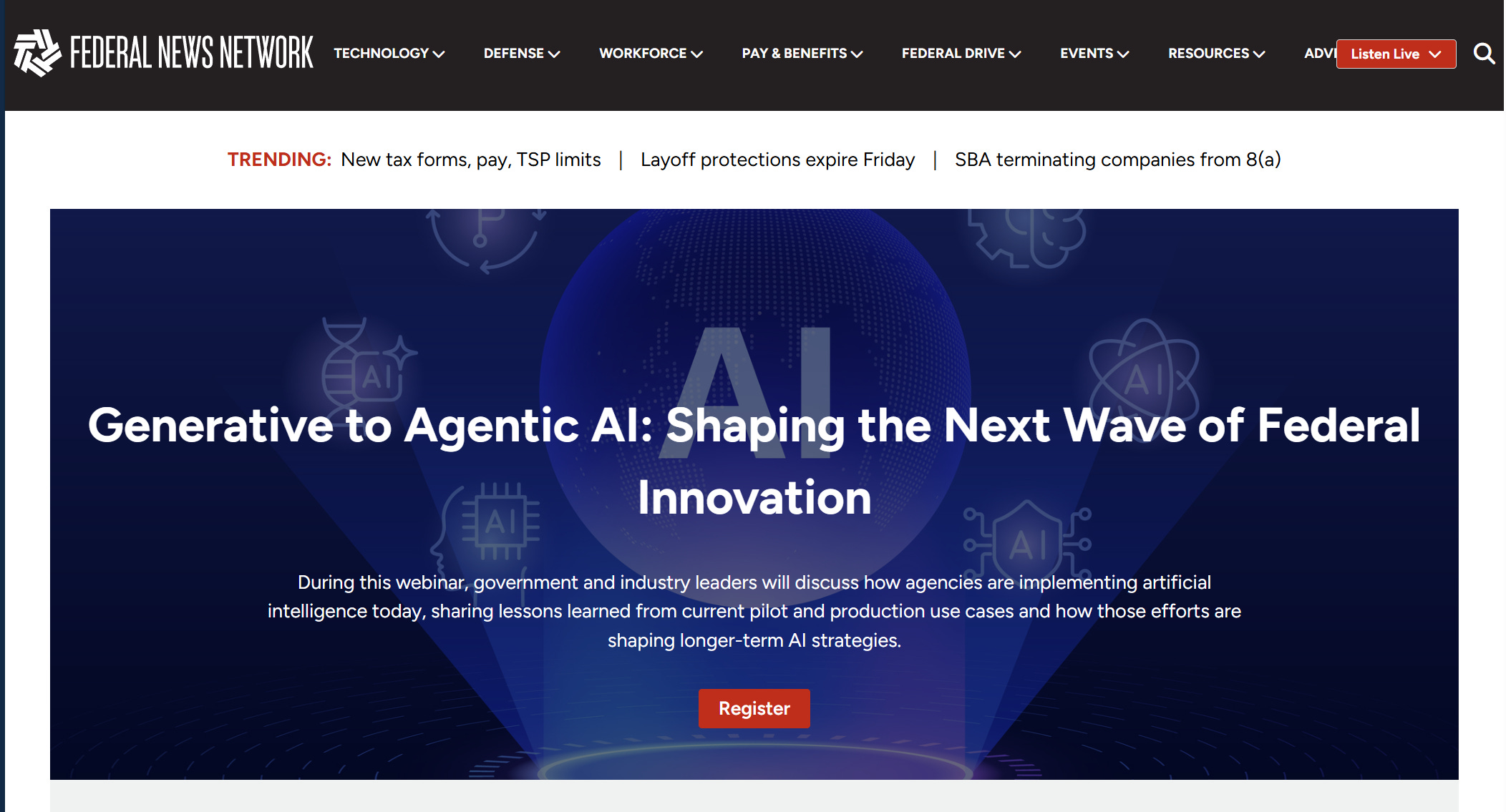
It’s February 19th at 2pm eastern. Register here!
Both of these get you CPE credits.
All that said, as we go through these and dig into the educational part of the discussion, I feel like AI gets flung about as a term often without a clear understanding of what it is and what it’s for. So I’m taking some time this week to go back to basics, and answer the question for you all: what is AI? And what are all these new types of AI everyone’s talking about and why are they all excited about it?
Let’s decode it. 🚀
An AI Primer for Business Leaders
What it is, what it does, and what it’s for.
No doubt, AI is the current hotness. If you’ve been to a conference or opened LinkedIn, you’ve heard someone talking about generative AI or agentic AI.
The problem?
A lot of people flinging the terms around can’t actually tell you what they are—or how they’re different from everything else we’ve been doing under the umbrella of automation.
So before we hand everything over to agents, let’s slow down and talk about what AI is, what it isn’t, how the major categories differ, and how they can be of best use to you, especially if you’re a leader responsible for workforce design, performance, or modernization.
Despite everyone’s insistence on using the magic wand 🪄or sparkle ✨ icons for their AI tools, AI isn’t magic. It’s a set of tools. Really mathy tools.
Let’s talk about what they do.
Artificial Intelligence 101.
Artificial intelligence is the broad term. And it’s a term that has been around for almost a hundred years. In fact, we still use the Turing Test to determine if a program is AI, and brilliant British mathematician Alan Turing passed back in 1954.
At its simplest, AI refers to computer systems that perform tasks typically requiring human intelligence. Some examples are:
recognizing patterns
making decisions
understanding language
identifying images
predicting outcomes
That’s it.
It’s not consciousness or sentience or even Skynet. It’s mostly probabilities and mathematical equations that allow computers to simulate aspects of intelligent behavior. The key word there is simulate.
Why it’s hot right now? The simulations have gotten really good.
And advancements in compute power and networks, language models, and a few other things have made it easily accessible to the average person, not a complex model on a supercomputer that you needed an in depth understanding of coding language and mathematics to be able to use.
Let’s talk about the subcategories.
Machine Learning (ML).
Machine learning is a subset of AI. Instead of programming a system with explicit rules (“If X, then Y”), we feed it data and allow it to “learn” patterns.
We’ve seen this used for ages in fraud detection. You don’t have to hard-code every possible fraudulent transaction. You train a model on thousands of examples of fraud and non-fraud, and the system learns patterns and predicts the probability of fraud in new transactions. It highlights anomalies in the pattern for you, and there you go.
Machine learning is inherently:
Data-driven
Statistical
Predictive
Improves with more data
We use machine learning in fraud detection, recommendation engines (think Amazon’s “you might also like”), predictive maintenance, hiring risk models, and demand forecasting. Much of the work we’ve done on predicting promotion order-of-merit lists (OML) has been machine learning.
It’s about pattern recognition at scale.
Deep Learning (DL).
Deep learning is a subset of machine learning that uses multi-layered neural networks to process large and complex datasets. If machine learning is pattern recognition, this is pattern recognition on steroids—especially when you’re dealing with unstructured data like images, audio, voice, language translation, or free text.
It’s pretty likely that you interact with deep learning every day. Some examples:
Face ID on your phone
Speech to text
Automated translation
Advanced medical imaging
Deep learning is powerful, and it’s artificial intelligence—but it’s not inherently autonomous. And it can be very “black box” just because of the complexity of the modeling it uses to create predictions and solutions.
Generative AI.
Generative AI uses probabilities to create new content.
This is what has exploded into public awareness in the last few years (thanks to LLMs and ChatGPT’s clever interface).
Unlike predictive models that classify and forecast, generative AI creates new outputs (text, code, images, etc.) based on patterns learned from training data.
Large language models (LLMs), like the ones behind ChatGPT and most modern chatbots you interact with in customer service, fall into this category.
Generative AI has dozens of uses, many of which I’m sure you’ve discovered:
drafting content
summarizing documents (and emails, yay!)
creating images (and memes)
coding assistance
The thing you have to remember is that it’s based on probabilities. Like how Pandora or Spotify recommend things you might want to listen to and get it wrong, generative AI predicts the most likely word or phrase or what it thinks you might like.
It doesn’t “know” things. It predicts patterns, and that looks like knowing. But it’s not truth and it needs to be fact-checked (often).
Agentic AI.
Systems that do stuff. Task-based AI. That’s what agents are.
They don’t just generate outputs, they do tasks and take actions and use tools. They’re great, because instead of just having AI generate a summary for you, you can tell agentic AI to monitor incoming documents, categorize them, draft responses, route them to the appropriate stakeholder, follow up in missing information, and escalate if deadlines are missed.
I use a host of them, mostly in small apps I’ve created to help me (attempt to) be organized. I have a daily news agent that pulls articles and topics that I’m interested in across a number of categories and creates summaries for me, and another that pulls deadlines from emails that I often miss and puts them on my calendar (I don’t want to miss a runDisney registration or the end of some sales).
It’s super useful, as long as you remember that they’re very literal. They do what you tell them to do. So be deliberate with your instructions.
Robotic Process Automation (RPA).
The OG task tool.
It’s always good for us to remember in the excitement that not all automation is AI. The difference is whether or not it’s intelligent. And sometimes you just need your automation to do tasks, and you don’t need it to think.
Robotic process automation:
follows rule-based scripts
mimics human clicks and keystrokes
does repetitive, mechanical tasks
requires explicit programming
doesn’t “learn”
It’s really just digital muscle memory. It’s like the macros you make in Excel. Automate the process so you don’t have to keep doing it.
AI, by contrast, can adapt, interpret unstructured inputs, and predict.
So why are these distinctions important?
Because as you’re designing your workforce, you need to align the right tool with the right job. You don’t want to hand off decisions that require human judgment to a tool not equipped to make it, or overly invest in a complicated tool when you just really need a simple one.
That requires the things we’ve been talking about here in workflow and business process analysis.
Let me dust off an old favorite article where we cover this.
Your solution will almost always be a stack of capabilities that also requires different business processes and workflows.
Remember this little graphic?
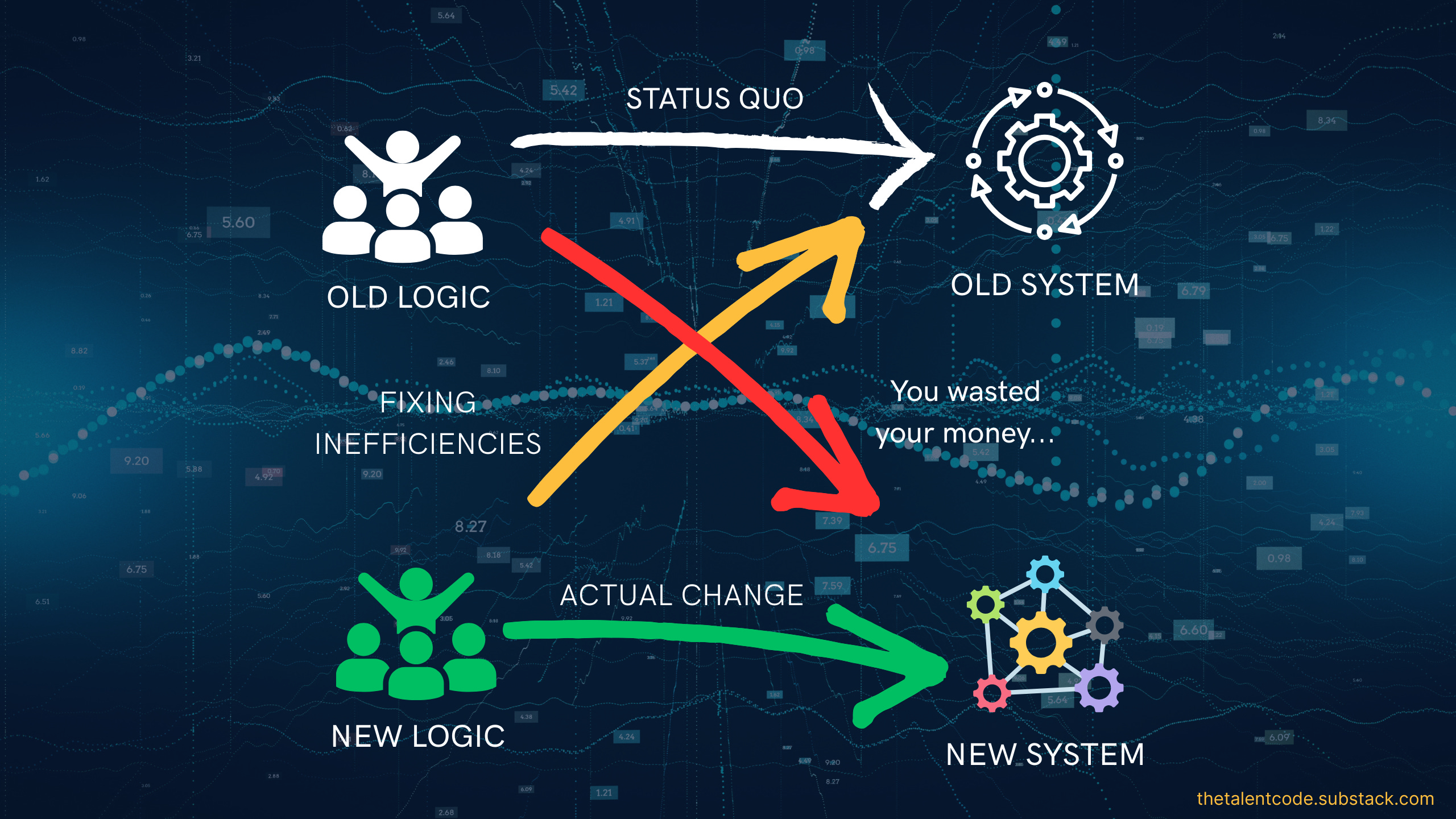
So as you’re designing your solution set, you need to figure out:
What business processes you can eliminate or simplify
What you want to automate, and where that automation needs to be smart
How to adapt your business processes again around that new automation
And avoid the temptation to ask, “What tasks/people can AI replace?” Instead, let’s look at what humans should stop doing so that they can better do what they must keep doing.
In my organization’s case, that’s how I guide tech adoption in the people space. What can my Soldiers stop doing so that they can spend more time training as warfighters? And the answer is pretty straightforward.
Paperwork
Waiting in line for services I can automate or have agents do
Logging into several different systems when I can put an agentic layer on top
Interpreting complex policy when I can have AI simplify it
Monitoring when they need to make medical appointments or update records
AI can do all that.
I need my humans freed up for:
Ethical judgment
Accountability
Contextual interpretation
Things that require trust
Strategic direction
AI doesn’t eliminate leadership. Or people. What it should do is elevate them out of repetitive transactional tasks so that they can do the work that is (for now) uniquely human.
So, let’s sum this up.
AI isn’t magic, sentient, or one singular type of thing, and it’s not your sole solution. Your solution is a lot of different things.
It’s machine learning for pattern detection, deep learning for complex unstructured data, generative for content creation, predictive analytics for probability modeling, prescriptive analytics for recommended actions, robotic process automation for rule-based repetition, and agentic AI for workflow execution.
All of these tools have a place in your workforce toolkit.
Everyone likes to say that the future of work will be defined by whether we “adopt AI,” but the details of this are more complicated than that.
The future of work will be defined by whether or not we understand what it does well enough to integrate it into systems and train our users to use it responsibly, and preserve human judgment where it matters most.
Digital transformation is technological, psychological, and operational. And leaders who don’t understand how to adopt technology from all three of these sides will struggle to lead in it.
Excellent breakdown, thanks for sharing AI 101!